
Foot Pedals & Page Turners
A Bluetooth foot pedal lets you turn pages, move between songs, and start auto-scroll completely hands-free — ideal when both hands are on your instrument. Pedals are supported in the iOS and Android apps.
On iOS
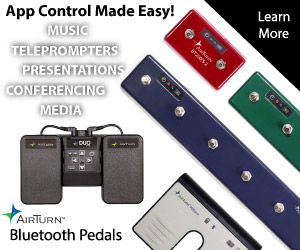
Band Central for iOS works with AirTurn Bluetooth pedals (such as the PED, DUO, and QUAD) and other Bluetooth page-turner pedals that send keystrokes. Pair the pedal with iOS first, in Settings > Bluetooth (or in the pedal's own pairing mode), then open Band Central's pedal settings to choose what each button does.
On Android
Band Central for Android works with standard Bluetooth page-turner pedals that act as a keyboard (Bluetooth HID), which is most pedals sold for music use. Pair the pedal in Settings > Connected devices > Bluetooth, then use the Detect Pedals / pedal settings screen to confirm it and map the buttons.
What you can map buttons to
Assign actions such as scroll up or down (by a quarter, half, or full screen), next song, previous song, start auto-scroll, jump to the next or previous section, and a play action. If your pedal has its own configuration app, the button-to-keystroke mapping is set there; Band Central then maps those keystrokes to actions.
If your pedal drops mid-set
Confirm the pedal is still paired and its battery is charged; if it dropped, toggle Bluetooth off and on and re-select it. Keeping the screen awake avoids the device sleeping between songs. On Android, also turn off battery optimization for Band Central (Settings > Apps > Band Central > Battery).